Über Sven Knoch

Ich bin im dritten Jahrzehnt als Grafik- und Onlinemann in meinem Element. Ich hasse Klüngelei, ich liebe es, wenn Qualität für sich sprechen darf. In den 1990ern war ich zum Beispiel grafischer Leiter der legendären SAT.1 Wochenshow. Als freischaffender Art Director, Cartoonist und Redakteur arbeite ich seit 2000 selbständig und bin routiniert in der Erstellung von Websites, grafischen Elementen, Animationen sowie redaktionellen Inhalten zur Weiterverwertung in Internet, TV und Print. Weiter mit Musik.

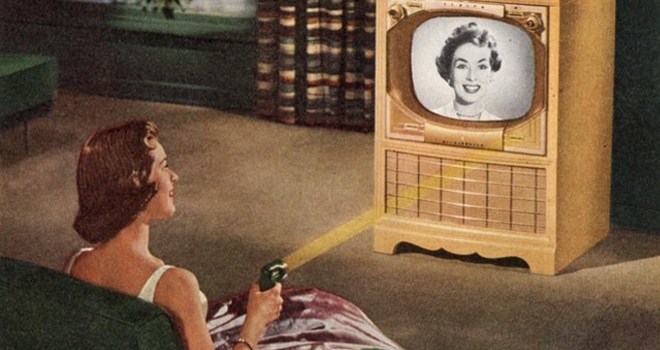
Jahrhundertgadget: Erfinder der Fernbedienung gestorben

Alle Couchpotatoes mal eben Bier und Chips zum Gedenken abstellen: Eugene Polley, der Erfinder der TV-Fernbedienung starb 96jährig in den USA. Polleys Flash-Matic war kaum mehr als eine Taschenlanpe im Fön-Design, die Lichtsignale an Fotozellen in den vier äußeren Ecken der Fernsehgeräte sendete. Jede Fotozelle aktivierte eine von insgesamt vier Funktionen: das Ein- und Ausschalten sowie den Programmwechsel.

[fusion_builder_container hundred_percent=“yes“ overflow=“visible“][fusion_builder_row][fusion_builder_column type=“1_1″ background_position=“left top“ background_color=““ border_size=““ border_color=““ border_style=“solid“ spacing=“yes“ background_image=““ background_repeat=“no-repeat“ padding=““ margin_top=“0px“ margin_bottom=“0px“ class=““ id=““ animation_type=““ animation_speed=“0.3″ animation_direction=“left“ hide_on_mobile=“no“ center_content=“no“ min_height=“none“]

[/fusion_builder_column][/fusion_builder_row][/fusion_builder_container]

Auto-hyperlink URLs

by Scott Reilly (coffee2code)

Automatically hyperlink text URLs and email addresses originally written only as plaintext.

This plugin seeks to replace and extend WordPress’s default auto-hyperlinking function. This plugin uses different pattern matching expressions than the WordPress default in order to prevent inappropriate adjacent characters from becoming part of the link (as WordPress has improved over the years, nowadays this is just a few edge cases like text links that are braced or bracketed) and it prevents invalid URIs (i.e. blah) from becoming links.

More significantly, this plugin adds configurability to the auto-hyperlinker such that you can configure:

  • If you want text URLs to only show the hostname
  • If you want text URLs truncated after N characters
  • If you want auto-hyperlinked URLs to open in new browser window or not
  • If you want the protocol (i.e. “http://”) to be stripped for displayed links
  • The text to come before and after the link text for truncated links
  • If you want rel=”nofollow” to be supported
  • If you wish to support additional domain extensions not already configured into the plugin

This plugin will recognize any protocol-specified URI (http|https|ftp|news)://, etc, as well as email addresses. It also adds the new ability to recognize Class B domain references (i.e. “somesite.net”, not just domains prepended with “www.”) as valid links (i.e. “wordpress.org” would get auto-hyperlinked)

The following domain extensions (aka TLDs, Top-Level Domains) are recognized by the plugin: com, org, net, gov, edu, mil, us, info, biz, ws, name, mobi, cc, tv. These only comes into play when you have a plaintext URL that does not have an explicit protocol specified. If you need support for additional TLDs, you can add more via the plugin’s admin options page.

This plugin also activates auto-hyperlinking of text links within post/page content.

Topstyle-Settings exportieren / importieren

[fusion_builder_container type=“flex“ hundred_percent=“no“ equal_height_columns=“no“ menu_anchor=““ hide_on_mobile=“small-visibility,medium-visibility,large-visibility“ class=““ id=““ background_color=““ background_image=““ background_position=“center center“ background_repeat=“no-repeat“ fade=“no“ background_parallax=“none“ parallax_speed=“0.3″ video_mp4=““ video_webm=““ video_ogv=““ video_url=““ video_aspect_ratio=“16:9″ video_loop=“yes“ video_mute=“yes“ overlay_color=““ video_preview_image=““ border_color=““ border_style=“solid“ padding_top=““ padding_bottom=““ padding_left=““ padding_right=““][fusion_builder_row][fusion_builder_column type=“1_1″ layout=“1_1″ background_position=“left top“ background_color=““ border_color=““ border_style=“solid“ border_position=“all“ spacing=“yes“ background_image=““ background_repeat=“no-repeat“ padding_top=““ padding_right=““ padding_bottom=““ padding_left=““ margin_top=“0px“ margin_bottom=“0px“ class=““ id=““ animation_type=““ animation_speed=“0.3″ animation_direction=“left“ hide_on_mobile=“small-visibility,medium-visibility,large-visibility“ center_content=“no“ last=“true“ min_height=““ hover_type=“none“ link=““ border_sizes_top=““ border_sizes_bottom=““ border_sizes_left=““ border_sizes_right=““ first=“true“][fusion_text columns=““ column_min_width=““ column_spacing=““ rule_style=““ rule_size=““ rule_color=““ hue=““ saturation=““ lightness=““ alpha=““ content_alignment_medium=““ content_alignment_small=““ content_alignment=““ hide_on_mobile=“small-visibility,medium-visibility,large-visibility“ sticky_display=“normal,sticky“ class=““ id=““ margin_top=““ margin_right=““ margin_bottom=““ margin_left=““ fusion_font_family_text_font=““ fusion_font_variant_text_font=““ font_size=““ line_height=““ letter_spacing=““ text_transform=““ text_color=““ animation_type=““ animation_direction=“left“ animation_speed=“0.3″ animation_offset=““]Der CSS-Editor Topstyle 4 bietet nativen Import von Server-Settings nur für aus Topstyle 3 exportierte Settings an. Wenn man die Settings aus einer Topstyle-4-Installation transferieren will führt kein Weg an der Registry vorbei, aber keine Angst, es tut nicht weh:

  1. Starte regedit.exe
  2. Klick Dich zu folgendem Schlüssel vor: HKEY_CURRENT_USERSoftwareBradburyTopStyle4.0
  3. Rechtsklick auf den Viernullerordner und „exportieren“ klicken
  4. .reg-Datei auf dem Zielcomputer (mit installiertem jungfräulichen Topstyle 4) speichern
  5. .reg-Datei Doppelklicken und ausführen

Das war’s dann auch schon. Der Tipp kommt vom offi­zi­el­len Topstyle-Support via hier.[/fusion_text][/fusion_builder_column][/fusion_builder_row][/fusion_builder_container]

Nomenklaturen retten Jobs

Beim Benennen von Dateien daran denken, dass es immer Situationen gibt, in denen die Dateien Deiner Arbeit angezeigt werden oder sonstwie für sich stehen. Es sind schon Leute in unangenehme Situationen geraten, weil sie das Platzhalterbild eines Kunden“bloetschkopp.jpg“ genannt hatten und das Provisorium es irgendwie in die Präsentation geschafft hatte. Wenn dann das Popup-Script das Bild nach vorne holt und unter dem Bild des Geschäftsführers plötzlich „bloetschkopp“ steht, rollen schon mal Köpfe, und selten ist es der von Blötschkopp. Aus denselben Gründen sollte man downloadbare PDFs nicht „blabla.pdf“ nennen, und auch, wenn die Kundin eine gute Freundin ist, sollte eine runterladbare Visitenkarte nicht „häschen.vcf“ heißen.

Der eigene Windows-Bootscreen (Windows 7)

Will man einen eigenen Windows-Bootscreen haben, so ist das auch ohne Plugins händisch möglich. Ist das Betriebssystem Windows 7 geht es so (wichtig: man muss sich unter dem Administroren-Account einloggen):

  1. Erstmal erstellt man die gewünschte Grafik. Ein JPG)  ist perfekt, es sollte bei einer Auflösung vcon 72 dpi exakt die Pixelmaße des Monitors haben und auf keinen Fall größer als 256 KB sein.
  2. Bild kopieren nach C:WindowsSystem32oobeinfobackgroundsbackgroundDefault.jpg (Ordner im Pfad, so nicht vorhanden, erstellen).
  3. Jetzt regedit mit Administratorenrechten öffnen und sich hierhin hangeln: HKEY_LOCAL_MACHINE -> SOFTWARE -> Microsoft -> Windows -> CurrentVersion -> Authentication -> LogonUI -> Background
  4. Jetzt einen Schlüssel bauen: Neu > DWORD-Wert (32-Bit), Basis „Hexadezimal“, Name: „OEMBackground“. Den neuen Schlüssel doppelklicken und Wert auf 1 setzen.

Fertig.

Thumbnails für -HTML-Dateien im Windows Explorer (Windows 7)

Wenn man, was seit XP ab Werk nicht mehr geht, weiterhin Thumbnails von HTML-Dateien im Windows Explorer sehen will: hier ist ein kliener Registry-Patch, für VISTA gebaut und seit 2008 ohne Update – aber völlig einwandfrei unter Windows 7. Und will man es einmal nicht mehr gibt’s auch dafür einen Schlüssel gleich dazu. http://www.aveapps.com/htmlpreviews.html

Irgendwas in den WordPress-Seitenkopf einbauen

Folgendes in die functions.php des Themes schreiben:

<?php
//Das hier sagt "Bau irgendwas in den Head ein"
add_action('wp_head', 'irgendwas');
//Und hier wird irgendwas definiert
function irgendwas() { ?>
//irgendwas hier einsetzen
<?php }
?>

Irgendwas ist natürlich durch irgendwas zu ersetzen.